+1 (855) 977-2257 sales@sysracks.com
USA
USA
Canada
en
en
fr
es
0
0
0
Sysracks Equipment
  • Catalog
  • Sale
  • About Us
  • Shipping Options
  • Support & Resources
    • Contact Us
    • Blog
    • FAQ
    • Video
    • Warranty
    • Returns and Exchanges
search
Sysracks Equipment
search
Language
Currency
Server racks and cabinets by size
Racks & Cabinets by size
  • 2U
  • 3U
  • 4U
  • 6U
  • 7U
  • 9U
  • 12U
  • 15U
  • 18U
  • 22U
  • 27U
  • 32U
  • 37U
  • 42U
Server racks and cabinets by construction
Racks & Cabinets by Construction
  • Enclosed
  • Open Frame
    • 2 Post
    • 4 Post
Floor-standing server racks and cabinets
Floor Standing Server Racks
  • SRF 600mm Depth
  • SRF 800mm Depth
  • SRF-G 900mm Depth
  • SRF 1000mm Depth
Wall-mount Server Cabinets
Wall Mount Server Racks
  • SRW 450mm Depth
  • SRW 600mm Depth
  • SRW-G 450 mm Depth
  • SRW-G 600mm Depth
Home server racks and cabinets
Home Server Rack Cabinets
  • Small
  • WS
Portable under-desk server cabinets
Portable Server Rack Cabinets
  • SRW 900mm Depth
  • PR
Specialized racks
Specialized Racks
  • Soundproof
  • Desktop
  • Half-height
  • Office
  • AV Racks
  • Switch Enclosures
  • Security
Server rack accessories
Server Rack Accessories
  • Cooling Systems
  • Blanking Panels
  • Charging Stations
  • Shelves
    • Fixed
    • Keyboard
    • Sliding
  • PDU
  • Cable Management
    • Cable Organizers
    • Patch Panels
  • Cage Nuts & Bolts
Login
Forgot your password?
eye

Don't have an account? Join

You have an account? Login

eye

By joining, you agree to the Terms and Privacy Policy.

Recover password

Don't have an account? Join

Added to cart
✕
Checkout
Contact Us
  • Home
  • Blog
  • What is a Patch Panel and What is it Used for?

What is a Patch Panel and What is it Used for?

03.08.2022
Interesting to Know Rack Accessories Guides
What is a Patch Panel and What is it Used for? photo

A modern cable network consists of many components that require a high level of organization. A patch panel is one of the rack mount wire management elements designed to arrange the wiring system and keep it in order. The right wire management will help solve many problems with the system and ensure its proper functioning.

What Is A Patch Panel?

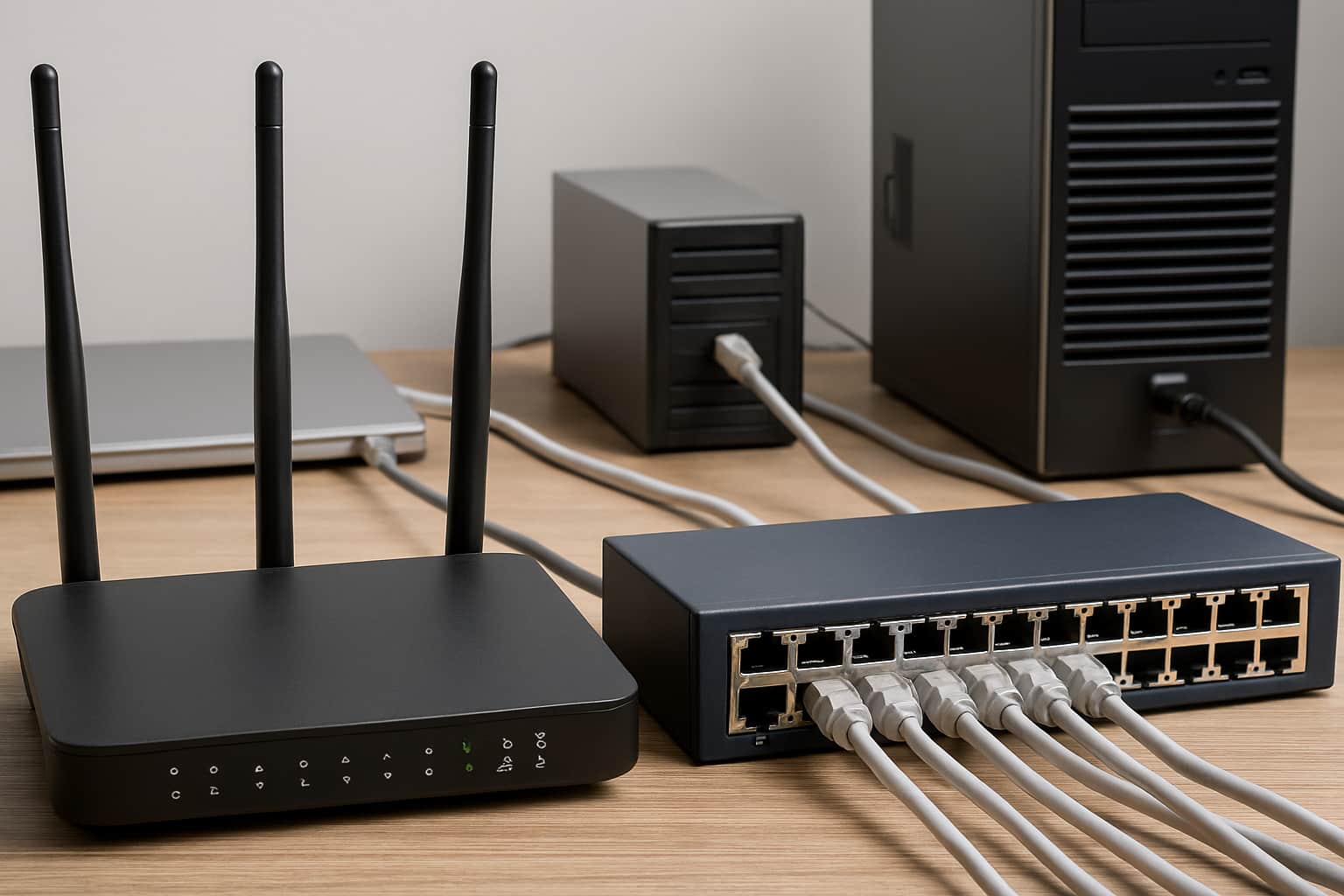
A server rack patch panel is a hardware device featuring numerous ports for efficiently organizing cable networks. Each port is connected to a specific location through individual wires.

The product is an important component of cabling system structuring. A patch panel is an accessory with connectors on the front side and contacts for fixed cable attaching on the rear side. With it, system administrators can quickly switch between workstations and active network equipment. The advantage of the panel is the ability to be replaced quickly and easily in the case of a failure of a separate section of the network. To do this, you need to bring the cable to the panel and insert it into a free port.

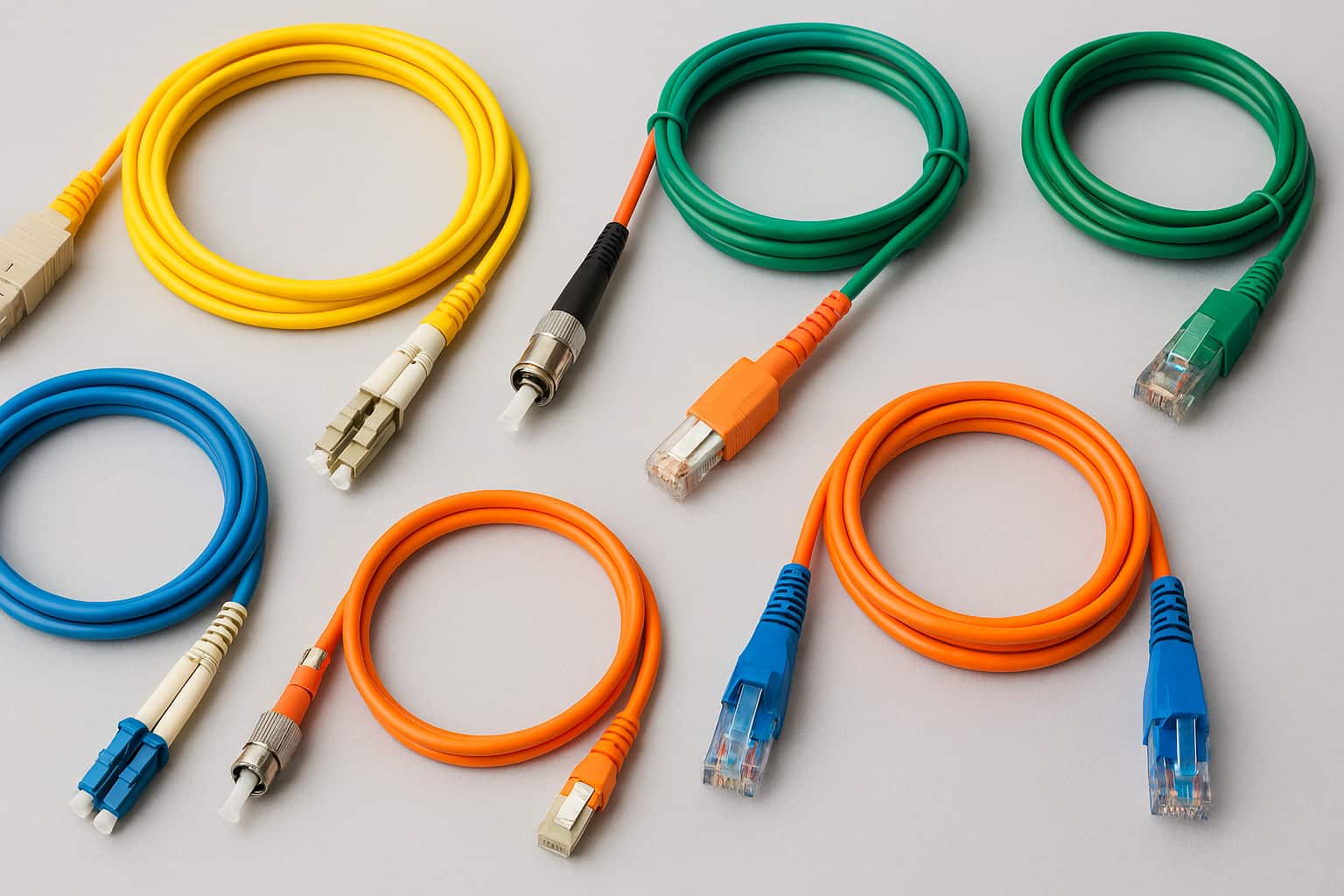
Patch panels come in various sizes, ranging from compact units with only a few ports to large-scale panels accommodating hundreds of ports. Moreover, they can be customized to support different cable types, including fiber optic cables, Cat5 cables, RJ45 cables, and more.

How does a Patch Panel Work?

Externally, the device looks like a box with connectors under the cable grid. On the front side of the cross panel, there are numbered ports. Their number can vary from 4 to 96. The pins of the connector for fixing the wire are brought to the back in the form of IDC connectors. For convenience, each port has a digital designation and color marking, which corresponds to the colors of the twisted pair cores. Cable jointing is carried out by pressing the cores between the contacts. The insulation from the cord is removed only at the point of contact, thus obtaining a reliable connection.

What is a Patch Panel Used for?

The device is used to quickly switch between active computing hardware and workstations, making it a vital element in structured cabling. In addition, the accessory belongs to the class of passive network equipment and helps streamline low-current cable management. For those wondering how to use a patch panel, the process involves terminating incoming cables on the back side and connecting devices via patch cords on the front, enabling easy reconfiguration and maintenance. Compared to other connection methods, this setup offers several key advantages:

  • Centralized cable management for a cleaner and more organized rack layout
  • Faster reconfiguration and troubleshooting without interrupting the entire system
  • Ease of installation, maintenance, and scalability as the network expands
  • Versatility, supporting both copper and fiber cabling, as well as modular configurations
  • Improved airflow and cooling due to reduced cable clutter
  • Shielded panels effectively reduce signal interference together with crosstalk between components.
  • The look of professionalism stands crucial in data centers together with server rooms and enterprise facilities.
  • Improved documentation systems combined with enhanced labels enable better network infrastructure management through effective audits.
  • Active equipment service life extends because patch panels decrease the strain that results from direct connection and disconnection to switches and routers.
Patch panel in networking

Types of Patch Panels

All products are divided into two main classes, namely fiber optic panels and Ethernet devices. Within both classes, several subtypes are subdivided. Thus, the first group of tools is further divided into:

  1. Standard adapter panels. These panels are equipped with LC, SC, or MTP adapter ports and are designed to connect patch cords to pre-terminated trunk cables. They support both single-mode and multimode fibers and come in various port configurations, offering flexibility for different network sizes.
  2. Breakout panels. Used for managing high-density breakout cables, particularly in environments where high-speed links (such as 100G) are split into multiple lower-speed connections (like 4×25G or 10×10G). These panels simplify the routing of breakout cords and enhance overall rack organization.
  3. Modular panels for MPO/MTP® cassettes. These are versatile enclosures that can house up to four modular cassettes, enabling horizontal mounting and structured routing of high-density fiber connections. Ideal for scalable installations and fast deployment in data centers.
  4. Sliding or drawer-style panels. These panels feature a sliding tray mechanism that allows technicians to pull the panel forward for easier access to the internal fiber connections. This design is especially useful for splicing and maintenance in high-density installations.
  5. Angled patch panels. With ports angled to the left and right, these panels help direct patch cords toward vertical cable managers, reducing the need for additional horizontal management and improving airflow within the rack.
  6. Pre-loaded panels. These panels come pre-equipped with keystone jacks, fiber adapters, or modular cassettes, providing a plug-and-play solution that saves time during installation and ensures uniform quality.

The second class of plugs is subdivided into:

  • Blank keystone inserts. Used to cover unused ports on keystone panels, helping maintain a clean appearance and preventing dust accumulation.
  • Cat6a, Cat6, and Cat5e keystone jacks. Designed for terminating twisted-pair copper cables according to TIA/EIA standards. These jacks snap into modular patch panels and are available in both shielded and unshielded versions.
  • 110-style punch-down keystone jacks. Require a punch-down tool for terminating individual wires, offering a secure and permanent connection for Ethernet cabling.
  • Feedthrough keystone jacks. These allow direct plug-to-plug pass-through connections without the need for punching down. Cat6 feedthrough jacks are among the most popular due to their simplicity and time-saving installation process.

Copper or Fiber?

Patch panels in networking play a crucial role in both fiber and copper networks, serving as key components for organizing and managing cable connections. While fiber offers higher speeds compared to copper, the performance differences in patch panels remain a topic of debate among networking professionals. The primary function of patch panels in networking is to direct signal traffic rather than dictate the speed of signal transmission. However, it is important to note that fiber optic devices typically come with a higher cost compared to their copper counterparts.

Regardless of the type of network, all patch panels adhere to the same standards that define signal and speed performance ratings for other network components. These standards ensure consistency and compatibility across network infrastructure.

Fiber vs. Copper Patch Panels: Performance Considerations

When it comes to patch panels, here are some key points to consider:

  1. Speed and bandwidth. While patch panels themselves are passive components and do not directly affect data rates, the type of cabling used (fiber optic vs. copper) plays a critical role. Fiber optic cables support higher bandwidth and longer transmission distances than copper, making them ideal for data-intensive and long-range applications.
  2. Signal routing. Patch panels act as structured connection points for routing and organizing network cables. They do not amplify or modify the signal but ensure reliable, organized, and easily maintainable connections within the network infrastructure.
  3. Cost considerations. Fiber optic patch panels and associated components typically come at a higher cost due to the materials, precision connectors, and installation tools required. However, the investment pays off in environments where high speed, low latency, and electromagnetic interference resistance are crucial.
  4. Standards and compliance. Quality patch panels, whether designed for copper or fiber, adhere to industry standards such as TIA/EIA-568 and ISO/IEC 11801. These standards define performance benchmarks and ensure compatibility across structured cabling systems.

The performance disparities between fiber and copper networks in patch panels should be evaluated based on individual network requirements because assessments prove subjective in nature. The signal management capabilities of patch panels depend on industrial standards for steady operation and system interoperability. An assessment of your network requirements together with speed and cost factors and industry standards must guide your decision for selecting network infrastructure solutions.

Cord Management System

The rack accessory itself provides a certain degree of cable organizing. Yet, more effective tools are applied by system administrators to manage wires and keep them organized. These include:

  • Cable labeling. Applying labels, stickers, or colored sleeves to both ends of each cable helps with quick identification during troubleshooting, upgrades, or audits.
  • Cable management panels. These include horizontal or vertical cable organizers, ducts, or rings that route and support patch cords, preventing tangling, strain, or damage.
  • Color-coded patch cords. Using specific colors for different types of connections (e.g., red for uplinks, blue for workstations, yellow for VoIP) helps quickly identify cable functions and improves visual management.
  • Cable ties and straps. Bundling cables using zip ties or Velcro straps keeps wiring neat and reduces clutter. Velcro straps are preferred for environments where frequent reconfiguration is required, while heat-resistant plastic zip ties are used in more permanent setups.

Patch panel cable organization allows simplifying and speeding up system maintenance and avoiding wire tangling.

What is a patch panel used for

Peculiarities and Advantages of Patch Panels

When organizing your server cabinet, you might wonder: why do I need a patch panel? This accessory offers a number of practical advantages that make it an essential part of any structured cabling system:

  1. Aesthetic appeal. Neatly routed and labeled cables give your server cabinet a professional and organized look, which is especially important in enterprise or customer-facing environments.
  2. Greater flexibility. Patch panels make it easy to reconfigure connections without rerunning cables, allowing the network to adapt quickly to changes or expansions.
  3. Improved airflow. Organized cabling helps maintain proper airflow within the rack by reducing obstructions. This supports effective cooling and lowers the risk of equipment overheating.
    Simplified cable management — With clear labeling and structured routing, cables are easier to install, trace, and replace. This reduces setup time and helps prevent mistakes during maintenance.
  4. Scalability. Patch panels are available in various port densities, allowing you to scale your network infrastructure as needed without major redesigns.
  5. Easier maintenance. Well-managed cables reduce clutter and make it easier for technicians to service hardware without interference, resulting in faster diagnostics and less downtime.

Every business needs to maintain at least one small server cabinet to handle their data processing operations. Large companies store their server racks in dedicated server areas. Setting up server systems stands as a crucial matter for present times. A quality server cabinet needs the essential tool known as patch panels to achieve proper organization. The implementation of these tools leads to efficient cable management while maintaining system order which makes the setup simple to control.

To share
Comment
Previous newsNext news

The Latest Posts

What’s The Difference Between a Router And a Switch?

What’s The Difference Between a Router And a Switch?

Nowadays, data centers and computing facilities grow like mushrooms in the fores...

Read more 29/12/2025

Understanding Different Types of Patch Cords for Network Reliability

Understanding Different Types of Patch Cords for Network Reliability

Patch cords are short cables used to connect various network devices and system ...

Read more 23/12/2025
ASIC vs GPU: What Are The Main Differences To Consider

ASIC vs GPU: What Are The Main Differences To Consider

Mining is a popular type of activity in the modern world. More and more users st...

Read more 28/11/2025
View all

FAQ

What is a patch panel used for?

This device is used to organize and manage network cables by providing a centralized point for connecting and routing cables from various devices or locations within a network.

Why use a patch panel?

Patch panels offer several advantages, such as streamlined cable management, simplified connectivity, flexibility for future expansions, and ease of troubleshooting network issues.

Do people still use patch panels?

Patch panels are still widely used in networking systems. They continue to be an essential component for organizing and managing network cables in various environments, including homes, offices, data centers, and other commercial settings.

What are the advantages of using a patch panel in a network?

The advantages of using a patch panel in a network include improved cable organization, efficient connectivity, scalability for future expansions, simplified troubleshooting, and a tidy and professional appearance for the network infrastructure.

Do patch panels need power?

No, patch panels themselves do not require power. They serve as passive components in the network, providing a physical interface for cable connections. However, other network devices connected to the patch panel, such as switches or routers, may require power for their operation.

What is patching in networking?

Patching in networking refers to the process of connecting network devices, such as computers, switches, and servers, using patch cables through a patch panel. This setup allows for easy management and organization of network connections. Patching facilitates changes in network configurations, troubleshooting, and the integration of new devices without the need for direct and permanent connections between hardware, enhancing the scalability and maintainability of network infrastructures.

How to use a patch panel?

Mount the accessory in a rack or enclosure. Run Ethernet cables from network devices to the patch panel. Terminate the cables at the patch panel using a punch-down tool. Label each port for easy identification. Connect patch panel ports to a network switch using patch cables. Test the connections with a cable tester.

Still Have Questions?
  • If you can't find the answer you're looking for, please contact us at info@sysracks.com. We're all ears!
What is a Patch Panel and What is it Used for? photo
+1 (855) 977-2257
sales@sysracks.com

616 Midland Ave,
Staten Island, NY 10306, USA


1630 Terminal St,
West Sacramento, CA 95691, USA


Mon-Fri: 10am — 5pm

  • Server Racks
  • Accessories
  • About Us
    • Blog
    • FAQ
    • Contact Us
    • Shipping Options
      • Returns and Exchanges
      • Warranty
      • Terms and Conditions
      • Privacy Policy

      Be the first to know about new product announcements, news, events, and more

      this is pypal
      What is a Patch Panel and What is it Used for? photo
      What is a Patch Panel and What is it Used for? photo
      What is a Patch Panel and What is it Used for? photo

      2026 © Sysracks.com. All Rights Reserved.

      Select your currency
      USD United States (US) dollar